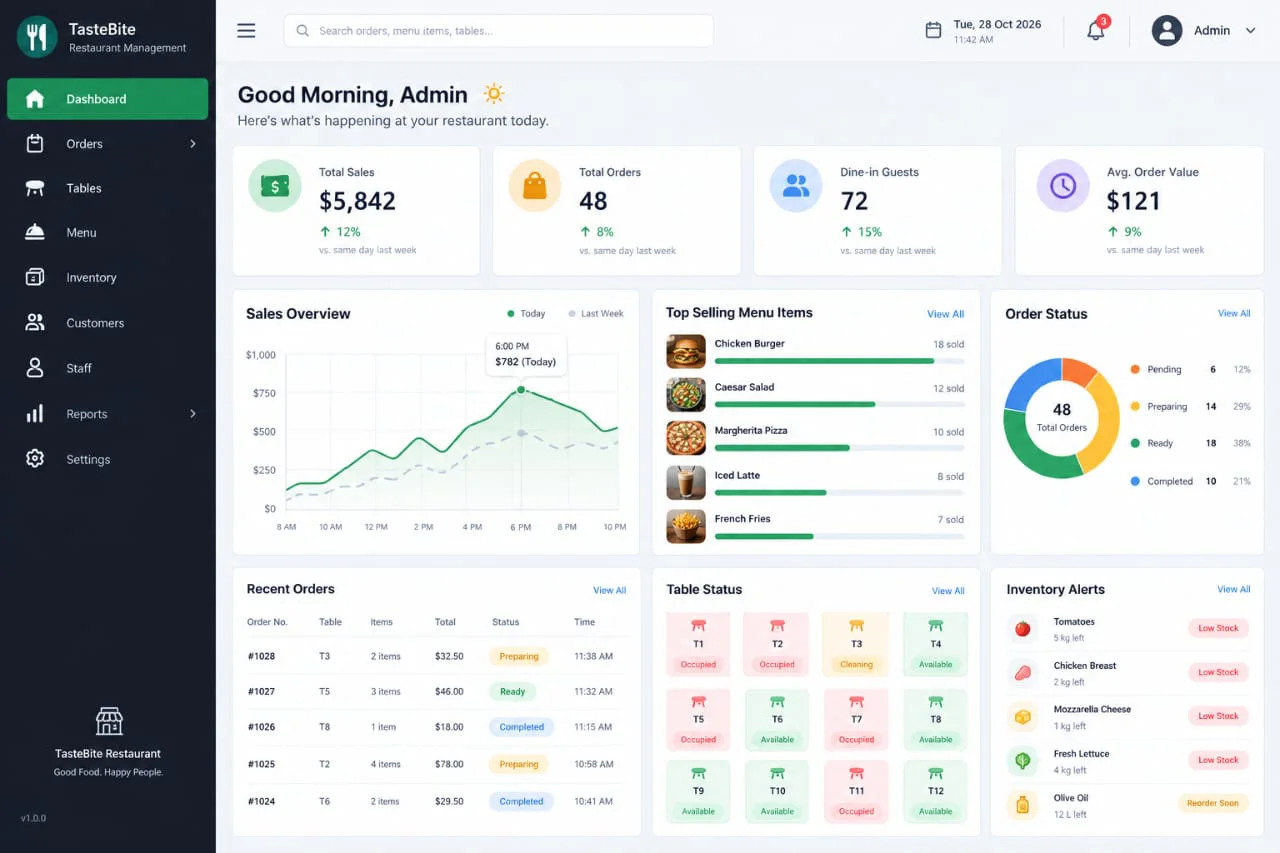
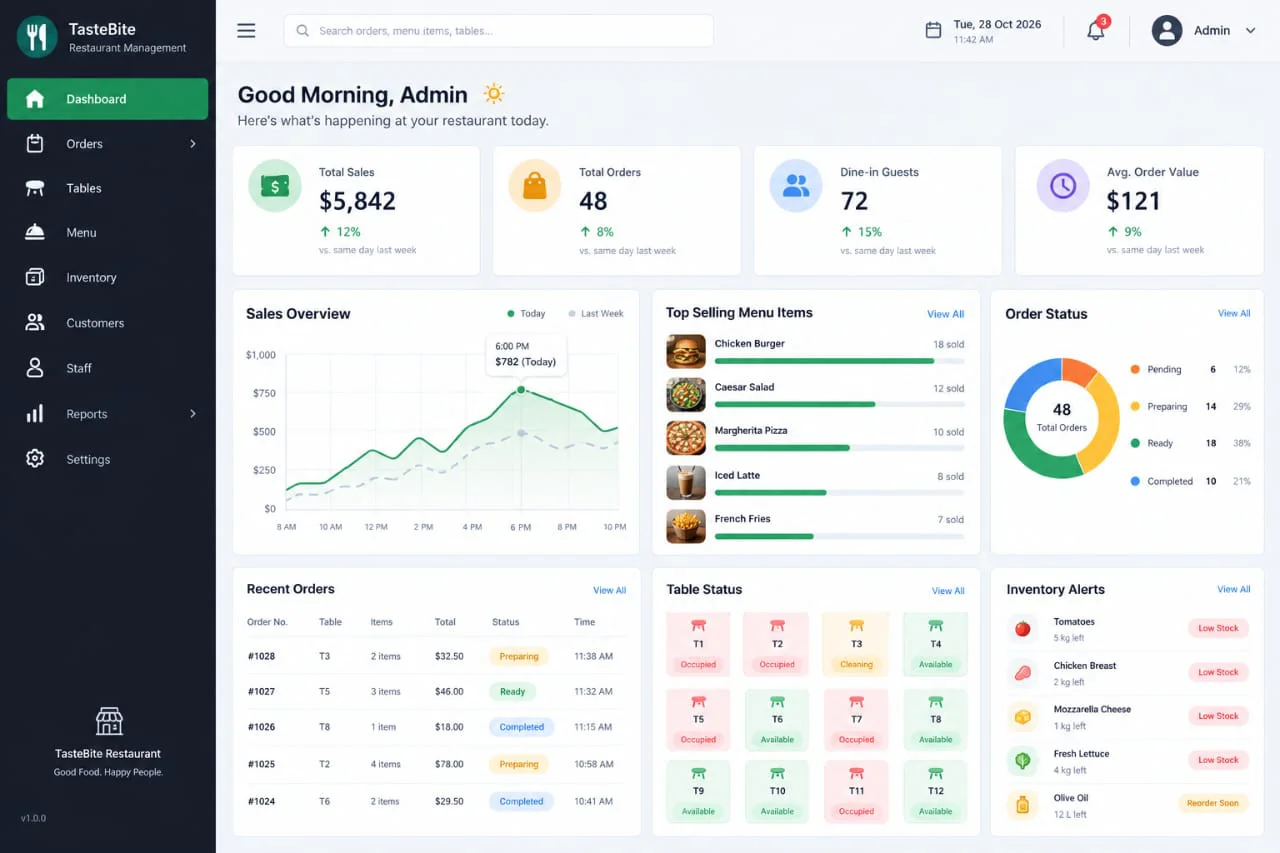
Restaurant Management Software in Bangladesh
Manage restaurant orders, table reservations, menu items, kitchen operations, billing, payments, inventory and sales reporting from a connected restaurant management system.
A strong fit when orders, tables, kitchen operations, inventory and restaurant billing must stay connected.
- You manage dine-in, takeaway or delivery orders throughout the day.
- Table availability, order status and food preparation need clearer tracking.
- Waiters, kitchen staff, cashiers and inventory teams manage records separately.
- Management needs sales, product performance and stock reports.
Evaluate the workflow, not just the screen design.
- Menu categories, food items and pricing setup
- Table management and order processing
- Kitchen order tracking and preparation status
- Restaurant billing, payments and sales reports
Built around the restaurant operating workflow.
The exact modules can be configured around your restaurant's menu categories, order types, table arrangements, kitchen operations, staff roles, inventory and reporting requirements.
Menu & Food Item Management
Manage food categories, menu items, product descriptions, pricing, availability and menu updates in one organized system.
Table & Reservation Management
Track table availability, table assignments, customer reservations and dining status to support efficient restaurant floor operations.
Order & Kitchen Management
Manage dine-in, takeaway and delivery orders, send order details to the kitchen and track food preparation and order completion status.
POS, Billing & Payment Management
Generate customer bills, process payments, manage discounts and additional charges, and maintain transaction records through an integrated POS workflow.
Restaurant Inventory & Stock Management
Monitor ingredients, food supplies, stock movements, purchases and available quantities to support restaurant inventory control.
Restaurant Sales & Management Reports
Review daily sales, order summaries, popular menu items, payment records, expenses and operational performance through consolidated reports.
A structured journey from customer order to food preparation, billing and reporting.
Good restaurant software connects order taking, kitchen operations, inventory and billing while reducing repeated data entry across daily operations.
Configure menus, tables and restaurant settings
Set up food categories, menu items, prices, table arrangements, order types, user permissions and restaurant operating rules.
Manage customer orders and table assignments
Create dine-in, takeaway or delivery orders, assign tables where required, maintain order details and send order information to the kitchen.
Coordinate kitchen operations and inventory
Track food preparation, update order status, monitor ingredient availability, manage stock movements and coordinate kitchen activities.
Process payments and review restaurant performance
Finalize customer bills, record payments, update order status and review sales, inventory and operational reports.
What a connected system can improve.
- Reduce manual order taking and transaction management
- Improve table availability and order tracking
- Connect front-of-house and kitchen operations
- Improve billing accuracy and payment tracking
- Support inventory control and ingredient stock visibility
- Support management decisions with consolidated sales and operational reports
Designed for different restaurant operating environments.
- Independent restaurants and casual dining businesses
- Fine dining restaurants and family restaurants
- Fast food outlets and quick-service restaurants
- Cafes, coffee shops and dessert businesses
- Restaurant chains and businesses managing multiple outlets
Questions restaurant owners usually ask.
Final scope depends on your restaurant's operations, order management process, menu structure, staff roles and reporting requirements.
Can the software manage dine-in, takeaway and delivery orders?
Yes. Dine-in, takeaway and delivery order management can be configured within the restaurant management system to organize different order types and track their status.
Can it manage restaurant tables and reservations?
Yes. Table assignments, table availability, customer reservations and dining status can be managed through a configured restaurant workflow.
Can kitchen staff receive and manage customer orders?
Yes. Kitchen order management can be included to send order details to the kitchen, track food preparation and update order completion status.
Can the software manage restaurant inventory and stock?
Yes. Inventory management, ingredient tracking, stock movements and purchase records can be included depending on the restaurant's operational requirements.
Can multiple restaurant branches be managed?
Multiple restaurant outlets and location-wise reporting can be configured where required, depending on the implementation scope.
Can the software generate daily sales and business reports?
Yes. Daily sales summaries, order reports, payment records, popular menu items and operational reports can be included in the system.
See the software against your restaurant's operating process.
A useful demo should show how your team will manage menus, take customer orders, assign tables, coordinate kitchen operations, monitor inventory, process payments and review the reports that matter to restaurant management.